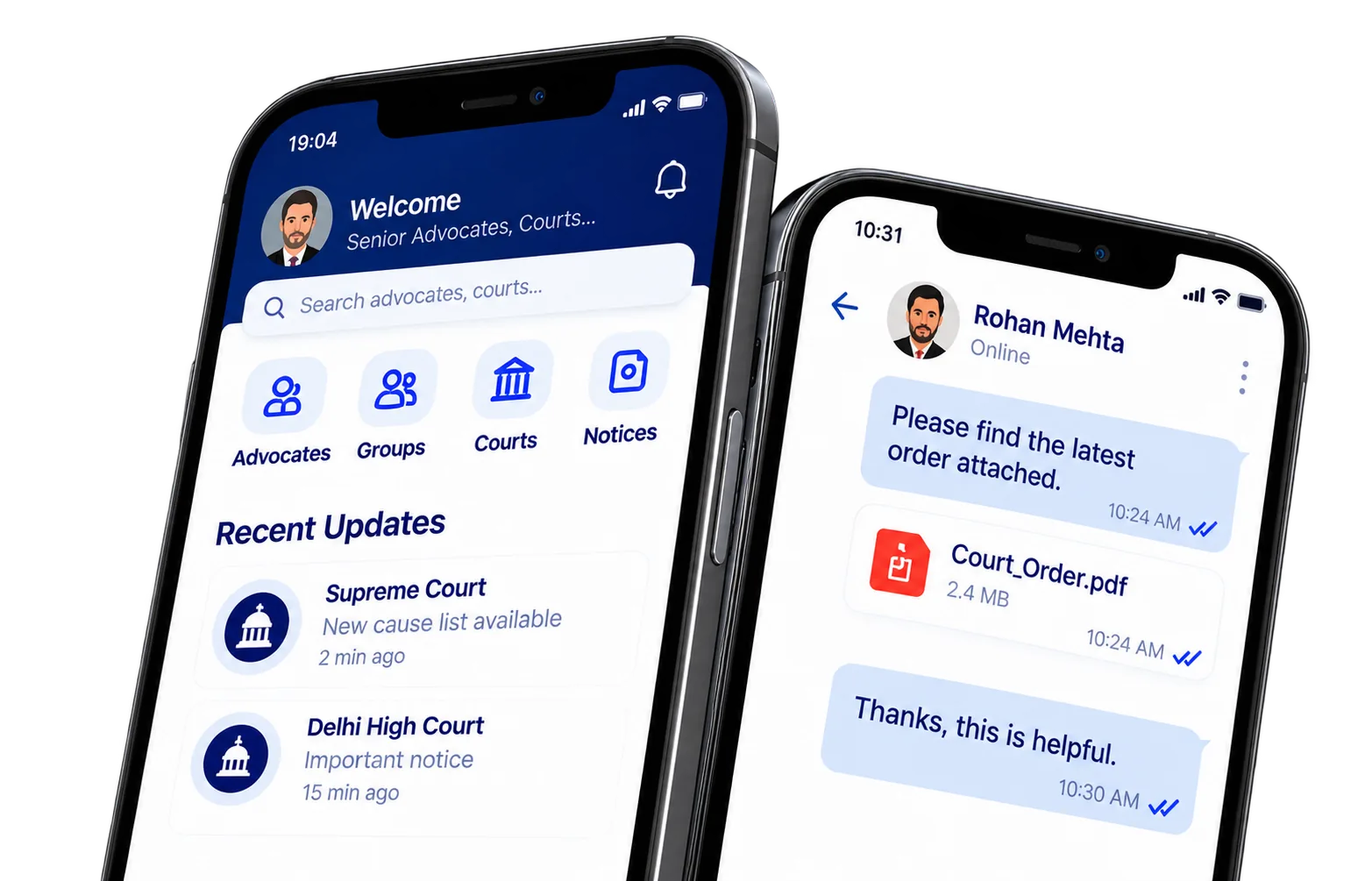

ExpertVakeel is exclusively built for enrolled advocates practicing across Indian courts. Every registration requires a valid Bar Council Enrollment Number and mobile OTP verification before admin review.
Find Answers to Your Questions
Information about joining ExpertVakeel, advocate verification, account access, communication, privacy and support.
Common questions about ExpertVakeel and its services.
After verifying your mobile number via SMS OTP and submitting your Bar Council Enrollment Number and Primary Practice Court, our verification desk reviews your credentials. Once approved, your profile receives the Verified Advocate badge and full access to the mobile app networking suite.
To ensure maximum security and real-time responsiveness, the Advocate Directory, One-to-One Chats, Private Advocate Groups, PDF/Image document sharing, and Court Channels are available exclusively inside the ExpertVakeel Android and iOS mobile apps.
Because Bar Council Enrollment Numbers are critical identity credentials, changing your enrollment number automatically moves your account back to Pending Verification until reviewed and re-approved by an administrator.
You can submit an account deletion request at any time from the ExpertVakeel mobile app (Settings → Delete Account), from your logged-in web account settings, or through the Account Deletion page on our official website.
ExpertVakeel is a networking and court communication platform for enrolled advocates. It offers a verified directory, private messaging, groups and court channels through the mobile app.
Networking access is restricted to advocates who complete enrollment review and receive verification approval.
Availability and any applicable fees are shown through the official app store and current platform terms.
Open the mobile app, enter your Indian mobile number, complete SMS OTP verification and submit the requested professional details.
Your information has been submitted for verification but has not yet received approval. Check the status from your account and contact support if additional information is needed.
Yes. Profile editing is available in your account. Changes to enrollment details may require a new verification review.
The website provides lightweight account and profile features. Messaging and groups are available through the ExpertVakeel mobile app.
Participating court channels show posts published by platform administrators. Mobile notifications may alert followers when updates are posted.
You can view the available court channels in the mobile app and follow channels relevant to your practice.
Eligible verified advocates can use the private-group features according to platform permissions.
Open an authorised conversation or group in the mobile app and attach a supported PDF or image.
Public advocate profiles are designed to avoid showing private contact details. Review your account privacy options before sharing personal information.
Use the account deletion option in the mobile app or submit a request from the website Account Deletion page.
The mobile app uses push notifications subject to the device permissions and availability of the notification service.
Use the Contact form on this website. If configured, official email and mobile support details are also displayed there.
Confirm the mobile number and network coverage, retry after the permitted interval and contact support if the problem continues.
Didn't find your answer?
Our support team can help with account and platform queries.

Still have questions?
We're Here to Help
If you need assistance with registration, verification or a platform feature, contact the support desk.